Discovera tools. Georeference an old map and open .sqlitedb — right in your browser.

Two tools we built for our own fieldwork and opened to everyone. You pick the file, your browser does the work — nothing is sent to a server.

Free · no sign-up · files never leave your device

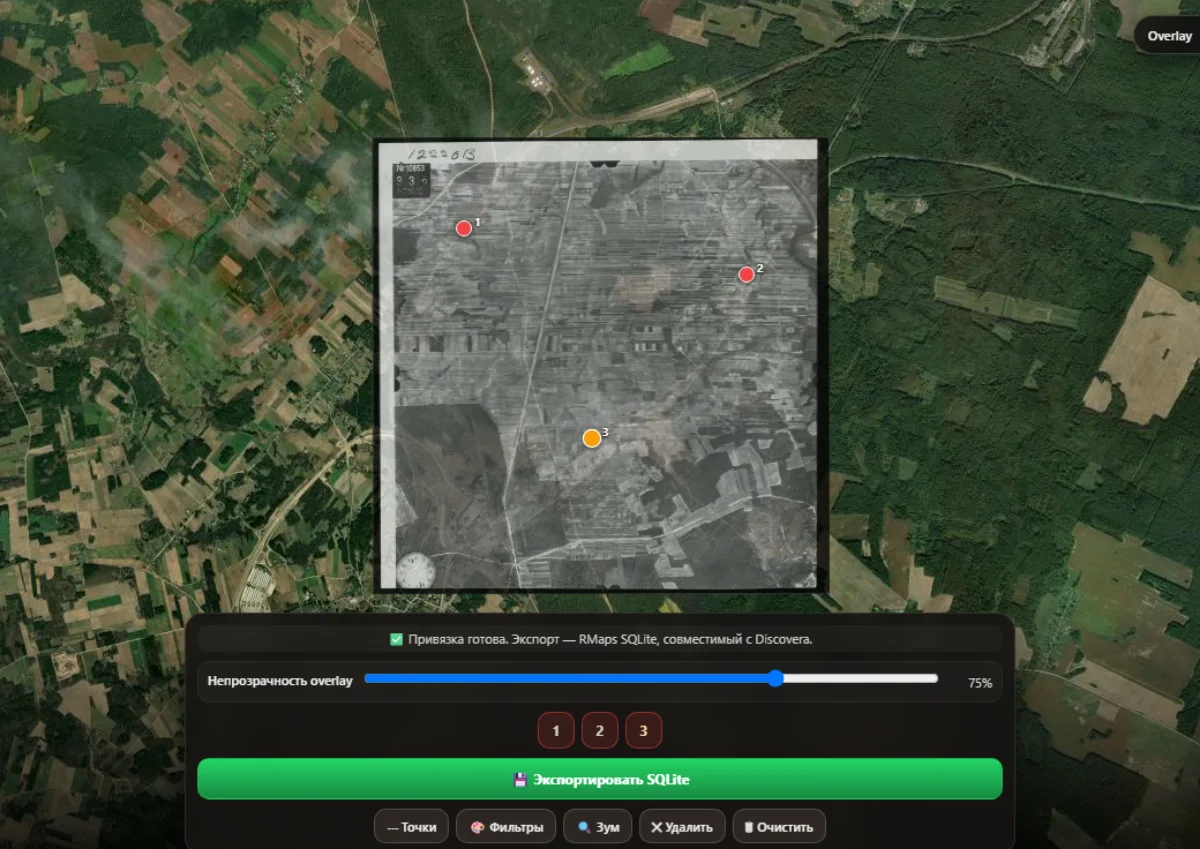
Discovera Georeferencer: a 1944 aerial photo near the village of Bruzgi pinned to the satellite by three control points, layer at 75% opacity
A 1944 NARA frame near Bruzgi, georeferenced by three points and exported to .sqlitedb.

01Web · free

Discovera Georeferencer

Pin a scan of an old map to satellite imagery with three or more points and download a ready .sqlitedb layer in RMaps format — it imports into Discovera with one tap.

  • Three or more point pairs: on the scan and on the satellite
  • The layer shows through the satellite, with sharpness, contrast and brightness
  • Tile counts per zoom level and one-click export
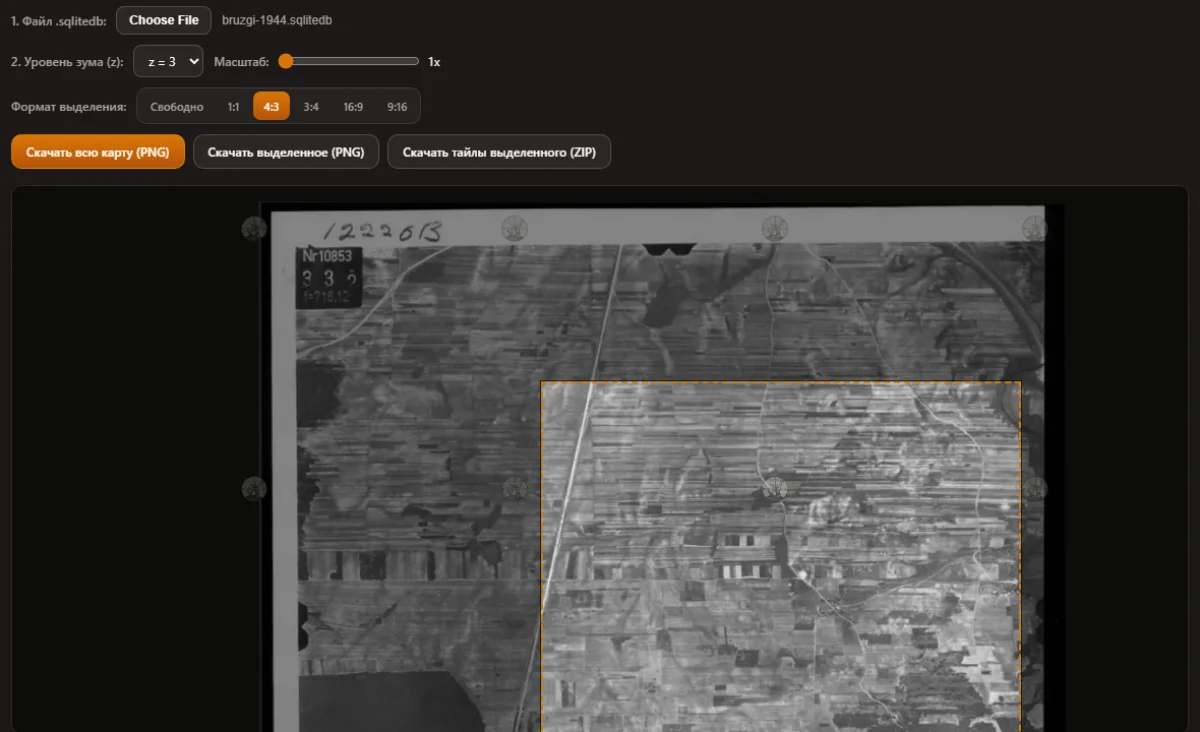
Discovera Map Preview Extractor: the same frame from a .sqlitedb file with a 4:3 area selected for saving as PNG
The same file in the Preview Extractor: zoom level, a 4:3 frame and export of the selection.

02Web · free

Discovera Map Preview Extractor

Open a .sqlitedb tile database in Locus or RMaps format, step through the zoom levels, select an area and save it as a single PNG or as a ZIP of the original tiles.

  • Reads databases with the tiles(x, y, z, image) schema
  • A 1:1, 4:3 or 16:9 frame for clean crops
  • The whole map or a selection as PNG, original tiles as ZIP

From scan to field. An old map on your phone in three steps.

  1. 1

    Scan

    Take an EtoMesto map, a frame from the aerial photo archive or your own scan — PNG, JPG or WebP.

  2. 2

    Three points

    In the Georeferencer, mark three or more places you can see on both: a crossroads, a church, a bend in the river — on the scan and on the satellite.

  3. 3

    A layer in Discovera

    Download the .sqlitedb and import it into the app: the old map lies over the satellite and works offline.

Questions. Questions about the tools

Are my maps uploaded anywhere?

No. Both tools run entirely in your browser: scans and .sqlitedb files never leave your device.

Which files work?

The Georeferencer accepts PNG, JPG and WebP scans up to roughly 30 MB and saves .sqlitedb in RMaps format. The Preview Extractor reads SQLite tile databases with the tiles(x, y, z, image) schema — the way Locus Map, RMaps and Discovera store maps.

How do I open the finished .sqlitedb in Discovera?

In Discovera on Android: map settings → historical maps → import, then pick the file. The Georeferencer writes the schema exactly as Discovera expects it, so the import takes one tap.

How do I open a .sqlitedb file on a computer?

Right in the browser with the Discovera Map Preview Extractor: open the file, choose a zoom level and save the area you need as PNG or as a ZIP of the original tiles. Nothing to install.

Where can I get an old map to georeference?

Maps from the EtoMesto portal open in Discovera for free and are already georeferenced. Aerial photos from 1939–1945 in the NARA archive can be searched by place name in our aerial photo archive — sometimes they need a little rotation in the Georeferencer.

NARA aerial photo archive

Are the tools free?

Yes, both are free and need no sign-up. The Discovera app for Android is free on Google Play too.

In the field. Map ready — Discovera takes it from here.

A layer over the satellite, offline areas, your track and your finds — in one Android app.

Get Discovera on Google Play